
UK's New e-Visa System: What International Students Must Know
The UK's eVisa system is a fully digital record of your immigration status that has replaced the Biometric Residence Permit (BRP) card and the passport vignette sticker for every international student. There is no plastic card and no ink stamp to carry anymore. Your status lives inside a UKVI account, and you prove it with a share code whenever a university, landlord, or airline needs to check it.
This shift is not a minor paperwork update. It changes how you register with your university, how you prove your right to rent a flat, and how border staff clear you to board a flight home for the holidays. Get one step wrong, such as forgetting to link a renewed passport, and the consequences range from an awkward delay at check-in to being refused boarding entirely. At Academic Training Hub (ATH), students moving from the International Foundation Year through NCC Education Level 4 and Level 5 in Computing and into the UK for the Level 6 BSc (Hons) Computing top-up ask about this constantly, so this guide breaks down exactly what changed, what to do about it, and what still trips students up in 2026.
What Is the UK's eVisa System?
An eVisa is a secure, cloud-based digital record held by the Home Office that shows your identity, your immigration status, and the conditions attached to it, such as whether you can work or study. It is not a downloadable PDF or an app you save to your phone. It is a live entry in a government database that you access through an online UKVI (UK Visas and Immigration) account, and it replaces every physical document international students used to carry.
According to GOV.UK's official eVisa guidance, an eVisa records your identity and immigration status, the type of visa or permission you hold, and whether you're allowed to work or study in the UK. You view it and generate proof of it through the same UKVI account used to set it up in the first place.
Why Did the UK Replace BRPs and Visa Vignettes with eVisas?
The Home Office moved to eVisas to close a real security gap: plastic BRP cards and ink vignette stickers could be lost, stolen, or forged, and a physical document only ever shows a snapshot of your status on the day it was printed, not whether that status is still valid today. A digital record updates in real time and cannot be physically counterfeited.
This didn't happen overnight, and the rollout has moved in stages across 2024, 2025 and 2026. The table below lays out the actual dates that matter for a student route applicant, drawn from UKCISA's eVisa guidance and GOV.UK's own published updates.
| Date | What Changed for Students |
|---|---|
| 31 October 2024 | The Home Office stopped producing new Biometric Residence Permits (BRPs) entirely |
| 15 July 2025 | 90-day passport vignettes decommissioned for main Student route applicants; eVisa issued instead |
| 2 June 2025 | Travelling to the UK using an expired BRP as proof of status is no longer permitted |
| 30 October 2025 | Vignettes decommissioned for student dependants too; eVisa only from this date |
| 11 March 2026 | Home Office-issued travel documents began auto-linking to a UKVI account within 2 working days |
| 31 December 2026 | Last date an expired BRP can still be used to create a new UKVI account (or 24 months after its printed expiry date, whichever comes first) |
If you already hold an eVisa and your details are current, you don't need to do anything further beyond keeping your UKVI account updated. If you're still holding an old BRP or a visa application predating July 2025, the registration steps below apply to you directly.
How Do You Set Up a UKVI Account?
You set up a UKVI account at gov.uk/evisa using either your passport and visa application number, your BRP number, or an expired BRP within the window described above. The registration itself is free and does not change your existing immigration permission in any way.
Most students complete verification through the official "UK Immigration: ID Check" smartphone app. You will typically need to work through this sequence:
- Document scan: photograph the biometric data page of your passport using the app.
- Chip reading: hold your phone against the passport's back cover so the app can read the embedded NFC chip.
- Facial match: complete a short live facial scan that the app checks against the photo stored on your passport chip.
- Account details: add a personal email address and mobile number, since the Home Office sends two-factor authentication codes to these every time you log in.
- Reference linkage: enter your Global Web Form (GWF) number or Unique Application Number (UAN) from your visa decision letter to connect the account to your specific application.
If your phone can't run the ID Check app, or your passport lacks a biometric chip, GOV.UK's guidance still allows verification through a web-based ID check instead, so a missing app is not a dead end. What matters is starting this process well before your flight, not the week you're due to travel.
How Do You Prove Your Status with a Share Code?
A share code is a temporary, alphanumeric access code you generate from your UKVI account that lets a third party, such as a university, employer, or landlord, look up your immigration status online without you ever handing over a physical document. You generate it yourself, choose what it's for, and it expires automatically.
General share codes, the kind universities use for right-to-study checks or employers use for right-to-work checks, are typically valid for around 30 days from the moment you generate them through the "View and prove your immigration status" service inside your UKVI account. A separate right-to-rent share code, covered in more detail further down this guide, runs on a longer 90-day validity window. Always check the expiry date shown on screen when you generate a code, since these figures can shift as the Home Office updates the service, and a stale code simply won't work for the person checking it.
Before your university can formally register you, UK Visas and Immigration requires it to run a right-to-study check through this same system. Universities now face real consequences for skipping it: from 1 June 2026, sponsor compliance thresholds require a course enrolment rate of at least 95 percent, per Home Office student sponsor guidance, so your institution has every incentive to chase you for a valid share code before term starts, not after.
What Happens If You Get a New Passport After Your eVisa Is Issued?
You must update your UKVI account with your new passport details before you travel, or the automated check at the airport will fail to match your eVisa to the document you're presenting. Your eVisa is tied to the specific travel document used during identity verification, not to you as a person in the abstract, so a new passport number that hasn't been added to your account is functionally invisible to the system.
This is one of the most common, and most avoidable, problems students run into. A renewed passport, an emergency travel document from your home country's embassy, or even a replacement issued after loss or theft all require the same fix: log into your UKVI account, add the new document, and confirm the update went through before you book travel. Since 11 March 2026, Home Office-issued travel documents link automatically within 2 working days, but a passport renewed through your home country's own passport office does not link itself. You have to do that step manually.
How Do Airlines and Border Force Check Your eVisa When You Travel?
Airline check-in staff and Border Force officers verify your right to travel using an automated system that queries the Home Office's eVisa database in real time against the passport you scan at the desk or gate. If the system finds a valid, correctly linked eVisa, you're cleared to board. If it doesn't, because your passport isn't linked, your details don't match, or the record has an error, you can be denied boarding before you ever reach UK immigration.
This is why keeping your account current isn't a bureaucratic nicety, it's the difference between making your flight and missing it. Airlines have a legal obligation to check immigration status before allowing you to board a UK-bound flight, and they have no discretion to wave through a passenger whose digital record doesn't check out cleanly, regardless of how genuine the underlying visa is.
What If the eVisa System Fails at the Border or You Can't Access Your Account?
If an automated gate or check-in system fails to read your status due to a technical fault, ask immediately for manual verification by a Border Force officer or airline supervisor rather than assuming you're stuck. Digital systems do occasionally have outages, particularly at high-traffic ports of entry, and the Home Office has manual fallback processes precisely because of this.
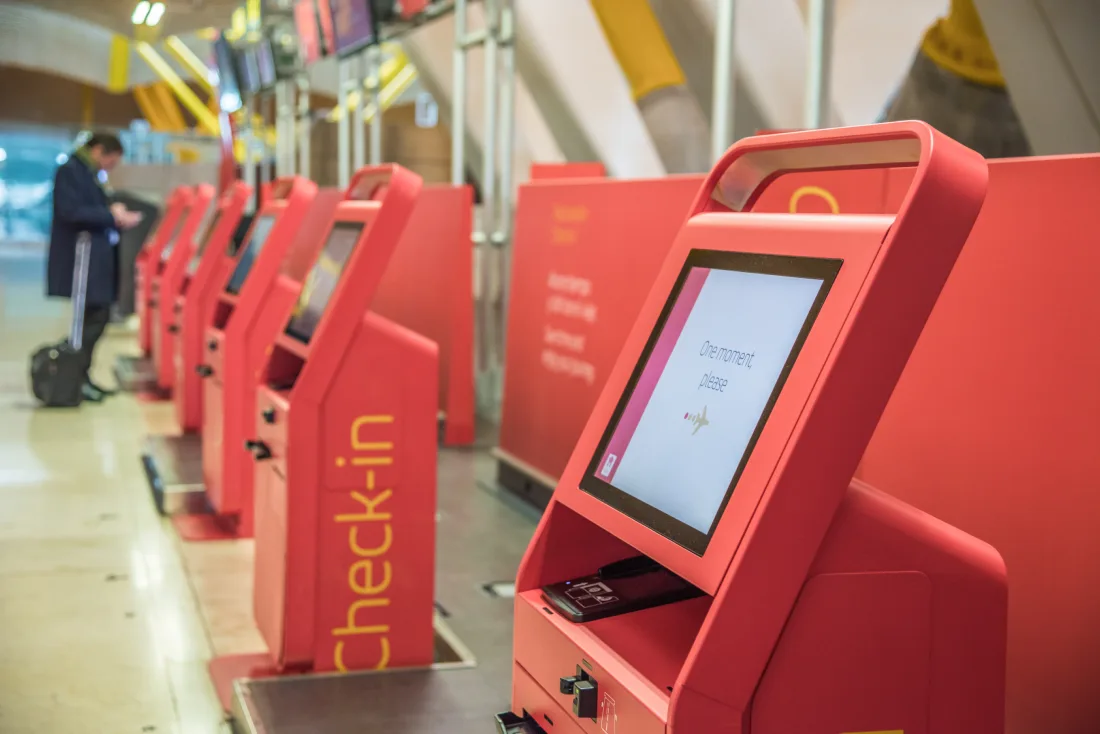
Practical precautions genuinely help here. Before any UK-bound flight, it's worth doing the following:
- Keep a clear, printed copy of your official Home Office visa decision letter in your hand luggage, since it carries your UAN and GWF tracking references that staff can use to look you up manually.
- Save a copy of your Confirmation of Acceptance for Studies (CAS) email somewhere accessible offline, not just in an app that needs signal to load.
- If you're genuinely unable to resolve an access issue before travelling, contact the UKVI Resolution Centre or use its webchat service well ahead of your travel date, not the night before.
In the rare case where none of this resolves in time, UKVI does allow an application for a one-off temporary visa to travel, at a cost of £154, though this should be treated as a last resort rather than a plan.
Do You Need an ETA as Well as Your Student eVisa?
No. If you already hold a Student route eVisa, you do not need a separate Electronic Travel Authorisation (ETA), because the ETA scheme exists specifically for visa-free short-stay visitors, not for people who already hold permission to study or work in the UK. Confusing the two is one of the more common mistakes students and even parents make when reading general UK travel advice aimed at tourists.
The ETA scheme became fully mandatory from 25 February 2026, requiring visitors from more than 85 countries to hold a £20 authorisation before travelling to the UK for tourism or short family visits. It has nothing to do with the Student route once you've been granted a visa and an eVisa.
| Student eVisa | ETA | Standard Visitor Visa | |
|---|---|---|---|
| Who it's for | Students on the Student route with an unconditional offer and CAS | Visa-free visitors from 85+ countries, tourism or short family visits | Nationals who need a visa even for short visits |
| Typical cost | £558 application + £776/year IHS | £20 | From roughly £115 |
| Length of stay | Length of course plus a short grace period | Up to 6 months | Up to 6 months |
| Allows study | Yes, under Student route conditions | No | No, beyond short recreational courses |
| Do you need it if you have the other | No ETA needed once your eVisa is active | Not needed if you already hold a Student eVisa | Not applicable to Student route holders |
What Else Changed for International Students in 2026 Alongside the eVisa Rollout?
The eVisa transition landed in the middle of a wider set of Student route changes in 2026, and pulling them into one place makes it easier to budget and plan realistically rather than discovering each change separately. Every figure below is drawn directly from GOV.UK's own published guidance, current at the time of writing.
| Change | Detail |
|---|---|
| Student visa application fee | £558 per applicant, effective from 8 April 2026 |
| Immigration Health Surcharge (IHS) | £776 per year of leave granted, paid upfront with your application |
| Maintenance funds, London courses | £1,529 per month, capped at 9 months, held for 28 consecutive days |
| Maintenance funds, outside London | £1,171 per month, same 9-month cap and 28-day rule |
| Graduate route, Bachelor's/Master's | Reduced from 24 months to 18 months for applications made on or after 1 January 2027 |
| Graduate route, PhD | Unaffected; remains at 3 years |
| Sponsor compliance (from 1 June 2026) | Visa refusal rate below 5%, enrolment rate at least 95%, completion rate at least 85% (rising to 90% from 1 June 2027) |
| Dependant eligibility | Only PhD and other research-level students can bring dependants under the Student route; this has applied since 1 January 2024 and remains unchanged in 2026 |
The tightened sponsor compliance rules matter more than they might first appear. A university or college that slips below these thresholds risks its Student Sponsor Licence, which would directly affect every current and future international student registered there, so choosing an institution with a strong compliance record is now a genuinely practical part of course selection, not just an academic one.
Right to Rent: What International Students Renting a Flat in the UK Need to Know
Right to Rent is a separate legal check from your right to study, and it needs its own dedicated share code, not the one you generated for your university. Under the Immigration Act 2014, landlords in England face civil penalties of up to £20,000 per tenant if they let a property to someone without a verified right to be in the UK, so expect every landlord or letting agent to ask for this specific code before signing a tenancy agreement.
To generate the correct code, log into your UKVI account, search "prove your right to rent" on GOV.UK, and select renting as the reason for the check. This produces a right-to-rent-specific share code, generally valid for around 90 days, which the landlord then enters alongside your date of birth at gov.uk/view-right-to-rent to get an instant result. This check applies only to properties in England; Scotland, Wales, and Northern Ireland don't run right-to-rent checks at all, which is worth knowing if your accommodation search spans more than one part of the UK.
Common Mistakes International Students Make with the eVisa System
Most eVisa problems trace back to a handful of avoidable errors rather than genuine system faults, and knowing them in advance saves real stress at the airport.
- Leaving UKVI account setup until the week before travel. Verification, especially with the ID Check app, is straightforward but not instant if something doesn't scan cleanly the first time.
- Forgetting to relink a renewed passport. This is the single most common cause of boarding denials among returning students.
- Sending a university a Right to Rent code, or a landlord a right-to-study code. The two checks are separate systems and the wrong code simply won't verify.
- Assuming an ETA is needed on top of a Student eVisa. It isn't, and applying for one you don't need wastes time and money without adding any protection.
- Discarding an expired BRP. GOV.UK advises keeping it even after expiry, since it can still support future immigration applications and account recovery.
- Not printing a backup of the visa decision letter. A digital-only backup is useless if your phone has no signal or battery at the border.
How Academic Training Hub Prepares Students for eVisa and Compliance Requirements
At Academic Training Hub, eVisa registration isn't treated as a footnote to the pathway, it's built into the progression conversation from the start. Students completing the International Foundation Year and the NCC Education Level 4 and Level 5 Diplomas in Computing in Pakistan know well ahead of their Level 6 transition that they'll need a UKVI account, a correctly linked passport, and a clear understanding of which share code goes to which organisation once they move into the BSc (Hons) Computing top-up year. ATH's progression team walks each student through the registration and document-linking sequence as part of preparing for the transition to a partner centre or university route, rather than leaving it as something to figure out alone in the days before departure. That sequencing, dealing with the digital administration early and calmly instead of at the airport, is the single biggest factor in whether a student's move into the Level 6 year goes smoothly.
Checklist: What to Do Before You Fly to the UK
- Set up your UKVI account at gov.uk/evisa well before your departure date, not the week of your flight.
- Complete ID verification through the UK Immigration: ID Check app, or the web-based alternative if your phone can't run it.
- Confirm your current passport is linked to your UKVI account and matches the document you'll actually be travelling on.
- Generate a fresh right-to-study share code for your university's registration team before term starts.
- Print your Home Office visa decision letter and keep it in your hand luggage.
- Save an offline copy of your CAS confirmation email.
- Double-check you don't also need, or haven't mistakenly applied for, an ETA.
- Keep your expired BRP even after it stops being usable for travel; don't throw it away.
The shift to eVisas has made UK immigration status genuinely more secure and, once it's set up correctly, faster to prove than any plastic card ever was. The friction almost always comes from timing, leaving registration too late, or from mismatched documents, not from the system itself being unreasonable. Handle the UKVI account, the share codes, and the passport linkage properly before you travel, and the eVisa becomes something you barely think about again until your next renewal.
Planning your route into a UK computing degree and want the eVisa and visa process explained clearly before you commit? Book a free counselling session with the ATH team.
Book Your Free Counselling Session